
Twenty Watts and a Waterfall: Xiegu G90 Meets WSJT-Z
Individual results may vary. This is only my experience. You have been warned!
Background
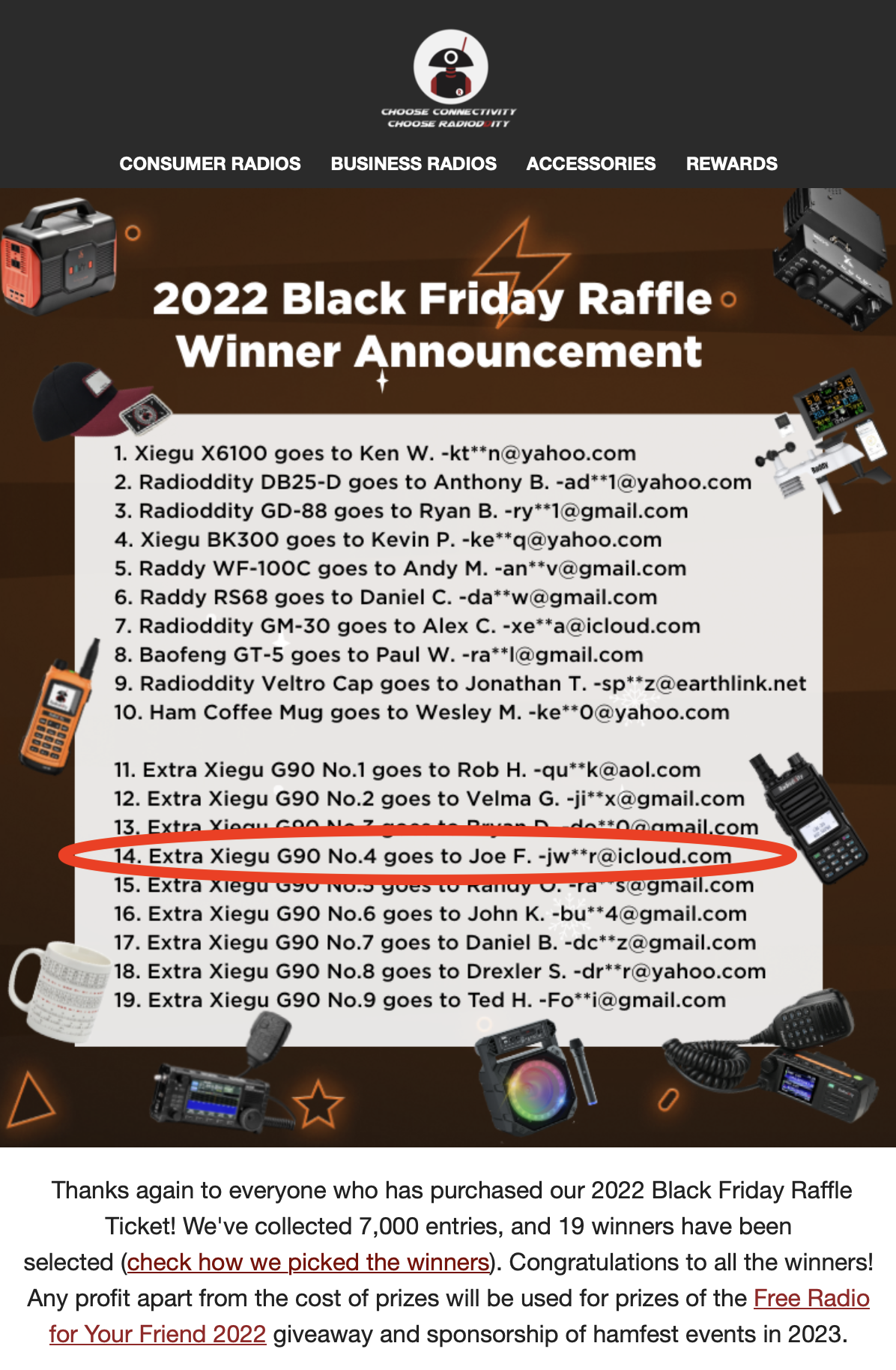
So a little less than four years ago, which seems like a lifetime now, I was a new ham and entered the Radioddity Black Friday Raffle. Like everyone else, I was hoping to win big and take home one of the grand prizes: a new Xiegu X6100.
I forget the exact number, but for every so many entries into the raffle, a Xiegu G90 was added after the primary prizes were picked.
Now, I was already planning on getting a G90. I figured it would be a good POTA radio, and I had heard good things about it from a friend. So on December 5, 2022, I received an email from Radioddity notifying me that I was the winner of one of the nine additional G90s in the raffle.
Now keep in mind, I was still a fairly new ham with a shiny new Amateur Extra license, a vanity callsign (W2ZTL, because I didn’t care for KD2ZTL), and I had just purchased this baby on eBay about a month earlier…
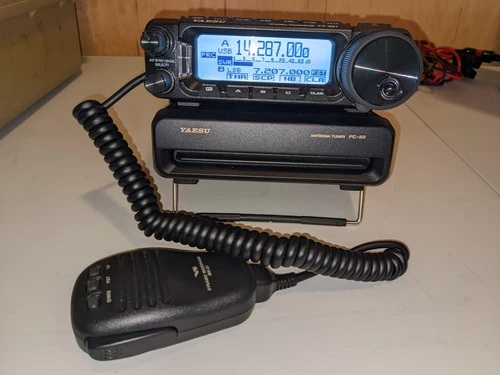
So that is how I wound up with a G90.
But I have digressed enough already. Let’s get to what you came for.
The little radio in question
The Xiegu G90 is a compact 20-watt SDR HF radio with a 24-bit / 48 kHz architecture, running on a 32-bit ARM processor. It covers 160m through 10m and has a built-in antenna tuner that is, frankly, one of the reasons people keep recommending this little box.
Pretty sweet, huh?
You thought I was going to provide a boring spec sheet. Nope. Just the stuff that matters for this particular adventure.
The plan
The goal seemed simple enough: get the Xiegu G90 talking cleanly to the computer, make WSJT-Z happy, and have Ham Radio Deluxe available for rig control and logging. In theory, this should have been a straightforward digital-mode setup.
In theory.
The moving parts were the G90, the computer, the USB/CAT control cable, the audio path, WSJT-Z, and Ham Radio Deluxe. None of those pieces are especially exotic on their own. The fun begins when they all have opinions at the same time.
The reality
First things first: I had to find my G90.
I knew I had it stashed in a Harbor Freight-style case somewhere. I think one of the cases was actually a freebie from Radioddity, but I could not remember where I put that specific one.
I checked the shelf where I keep radio gear and the empty cases I use to haul equipment to Field Day, but it was not there. I could not remember when my last POTA activation was, so I checked my trunk. All I found were spools of coax, my Wolf River Coils antenna setup, and my 40Wh Bioenno battery.
Turns out my last activation was in August 2024 at Myrtle Beach State Park (US-2907). Then it dawned on me: we had still been a single-car family at the time.
So I checked my wife’s trunk and found it in there.
But were all the parts there?
From radio to station
Mostly, yes — at least enough to make a credible attempt.
Finding the G90 answered one question, but not the important one. A radio in a case is not a station. A station needs power, audio, control, software, feedline, an antenna, and at least a little cooperation from the ionosphere.
Fortunately, the digital-mode side of this setup is not especially mysterious anymore. The Xiegu G90, a DigiRig, and WSJT-X/WSJT-Z are a pretty well-trodden path at this point: connect the radio to the interface, connect the interface to the computer, pick the right serial port for CAT control, pick the DigiRig sound device for input and output, and then spend the required ceremonial minutes proving that audio levels are neither nonexistent nor wildly overdriven.
The short version:
- DigiRig to G90 for CAT/audio/PTT
- USB from DigiRig to laptop
- WSJT-X/WSJT-Z configured for the appropriate rig profile / serial port - audio input and output pointed at the DigiRig sound device
- receive level adjusted so the software sees healthy audio
- transmit level adjusted so the G90 is not being beaten to death by ALC
None of this is especially exotic, but it is the part where a “portable radio” becomes a portable station. The RF side gets all the romance — coils, whips, radials, parks, salt air, and suspicious picnic tables — but the digital side is just as dependent on boring correctness. One wrong COM port, one muted sound device, one overenthusiastic transmit slider, and your elegant little field station becomes a very expensive clock.
I did not want to reinvent the documentation here, because plenty of people have already written exact G90/DigiRig/WSJT-X setup guides. The important part for my purposes was confirming that the signal chain still made sense:
- Control path: laptop → USB → DigiRig serial interface → G90 CAT/PTT
- Audio path: WSJT-X/WSJT-Z audio out → DigiRig sound card → G90 transmit audio
- Receive path: G90 audio → DigiRig sound card → WSJT-X/WSJT-Z decoder
- RF path: G90 → coax → Wolf River Coils antenna → whatever the ionosphere feels like allowing
That separation matters. If CAT control fails, that is not the same problem as no waterfall audio. If the waterfall looks good but nobody hears you, that is not the same problem as the wrong serial port. Breaking the station into those paths makes troubleshooting a lot less mystical.
I plan on using this little setup for the ARRL Field Day.
To be continued…